MotionGfx
A backend agnostic motion graphics creation framework.
Free and open-source forever!
This whole scene is one MotionGfx timeline. Drag the lane to scrub it, forward or back.
Five Ways to Order a Timeline
Every animation above is built from these. Pick one and watch the same shapes replay under it.
[a.play(s(1)), b.play(s(1))].ord_chain()The second circle waits for the first.
[
    [a.play(s(1)), b.play(cs(50))].ord_all(),
    c.play(cs(50)),
]
.ord_chain()
The square starts once both circles have arrived.
[
    [a.play(s(1)), b.play(cs(50))].ord_any(),
    c.play(cs(50)),
]
.ord_chain()
The square starts the moment the faster circle arrives.
actions.map(|a| a.play(cs(60))).ord_flow(cs(15))A wave ripples through the row: each circle starts shortly after the last, not after it finishes.
use motiongfx::track::delay;

delay(cs(30), a.play(s(1)))
The circle sits still, then starts moving.
Relative, Not Absolute
An action's closure receives the field's current value, so each step picks up wherever the last one left off.
let deltas = [
    Vec2 { x: 180.0, y: 50.0 },
    Vec2 {
        x: 180.0,
        y: -100.0,
    },
    Vec2 { x: 180.0, y: 50.0 },
];
let tracks = deltas.map(|delta| {
    b.act(dot, path!(<Dot>::position), move |p| *p + delta)
        .with_ease(ease::cubic::ease_in_out)
        .play(cs(50))
});

let track = tracks.ord_chain().compile();Each step starts where the last one stopped.
It's Just Code
A scene is plain Rust, built with the same loops and variables you already use.
let stagger = ms(60);
let tracks = HEIGHTS
    .iter()
    .enumerate()
    .map(|(i, &height)| {
        [
            b.act(i, path!(<Bar>::height), move |_| height)
                .with_ease(ease::cubic::ease_in_out)
                .play(ms(600)),
            b.act(i, path!(<Bar>::y), move |_| {
                BASELINE - height / 2.0
            })
            .with_ease(ease::cubic::ease_in_out)
            .play(ms(600)),
        ]
        .ord_all()
    })
    .collect::<Vec<_>>();

let track = tracks.ord_flow(stagger).compile();Ten bars, one .map(), one shared variable.
Scrub Forward and Backward, for Free
A timeline bakes once. After that it plays at any speed, in either direction, or jumps straight to any frame without re-simulating anything.
let track = [
    b.act(ball, path!(<Ball>::y), |_| 30.0)
        .with_ease(ease::quad::ease_out)
        .play(ms(600)),
    b.act(ball, path!(<Ball>::y), |_| 140.0)
        .with_ease(ease::quad::ease_in)
        .play(ms(600)),
]
.ord_chain()
.compile();Drag the scrubber: backward costs the same as forward.
Backend Agnostic
MotionGfx describes what changes and leaves drawing to the backend. Bevy is supported today, and any renderer that can read and write its own values can be next.
Build Your Own Backend →Start With Bevy
Bevy MotionGfx handles the setup for you. Add the plugin, describe what should change, and it plays.
Set Up Bevy MotionGfx →
Prefer a Timeline You Can See?
Moxie is a Bevy editor for MotionGfx, with a hierarchy, an inspector, and a scrubbable timeline built on the same chain/all/flow combinators these docs cover. You arrange them visually, without writing code.
Check Out Moxie ↗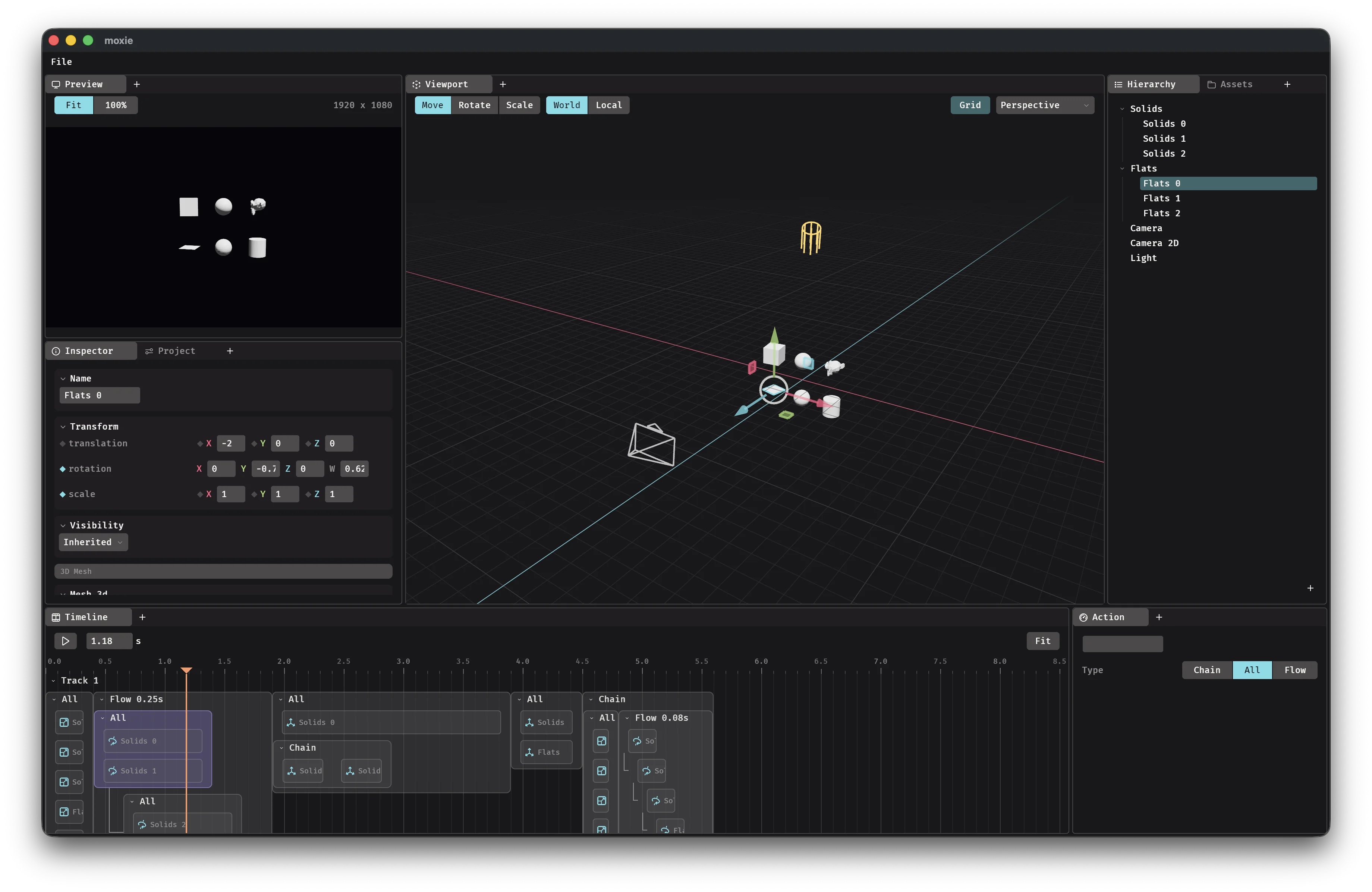
Get Updates by Email
We’ll email you when MotionGfx or Moxie has something new.